
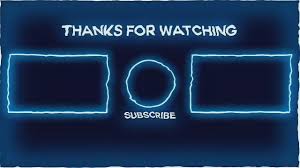
Video outros are the final moments of your video. They are your last chance to connect with viewers. Good outros encourage viewers to watch more videos.
They also help them take a desired action, like subscribing or visiting your website. Effective outros are clear and engaging.
The Power of a Great Video Outro
Think about the last few seconds of a movie or a great TV show. They often leave you thinking or feeling something specific. Your videos can do the same!
A well-planned video outro isn’t just a sign-off. It’s a tool. It can help you achieve your goals for that video.
It can also build a stronger connection with your audience over time. Many creators skip this part. They just say “bye” and let the video end.
This is a missed opportunity. It’s like ending a conversation before you’ve made your point clear.
We’ll dive into why these final moments matter so much. We’ll look at what makes an outro really work. You’ll see examples and learn how to tailor them to your own style and goals.
The aim is to make your viewers feel something. We want them to feel informed, entertained, or prompted to act. This guide is built to make it simple.
You’ll find easy steps to improve your own videos right away.
What Makes a Video Outro Effective?
What makes a few seconds of video really stick with someone? It’s a mix of things. First, clarity is key.
People need to know what you want them to do. Second, it needs to be engaging. It shouldn’t feel like a boring ad.
Third, it should fit your brand. Your outro should feel like it belongs with the rest of your video. Lastly, it needs to be relevant.
The suggestions you make should make sense for the viewer.
For example, if you just talked about gardening tips, suggesting they watch a video about car repair might not fit. It’s best to suggest more gardening videos. Or maybe a link to your gardening blog.
Consistency also plays a role. If you always have a certain call to action, people start to expect it. They know what to do.
This builds a habit for your viewers. It makes them more likely to engage with your channel.
Key elements of a good outro:
- Clear call to action (CTA).
- Relevant suggestions for next steps.
- Branding elements.
- Engaging visuals or music.
- Concise delivery.
Let’s break down what each of these means for your video strategy. Having these pieces in place makes your outro a powerful part of your content. It’s not just filler.
It’s a strategic move to keep your audience engaged and growing.
Personal Experience: The Day I Realized My Outros Were Boring
I remember sitting at my desk late one evening. I was watching my latest video. I’d just spent hours editing it.
I was proud of the content. But when the video hit the end screen, I cringed. It was just me waving goodbye and a static image of my logo.
No music. No links. Nothing.
My viewers were likely clicking off immediately. They were missing out on more of my content. And I was missing out on subscribers.
It felt like I’d baked a beautiful cake but forgot to put frosting on it. The cake was good, but it could have been so much better. That night, I decided things had to change.
I started researching what other successful creators were doing. I looked at how they guided their viewers. I saw how they encouraged them to stick around.
It was a revelation. I realized my outros weren’t just weak; they were actively hurting my channel’s growth. I felt a bit silly for not seeing it sooner.
But mostly, I felt motivated to fix it.
That night marked a turning point. I decided to experiment. I tested different visual styles.
I tried various music tracks. I refined my calls to action. It took some time.
But gradually, I saw a change. More people were clicking on suggested videos. My subscriber count started to creep up faster.
It was proof that focusing on those final few seconds could really pay off. It showed me that even small changes can have a big impact. And it all started with realizing my own outro was a missed chance.
Understanding Your Audience’s Next Step
What does your viewer likely want to do after watching your video? This is a crucial question.
If your video was:
- How-to tutorial: They might want another related tutorial. Or a link to a tool you mentioned.
- Product review: They might want to visit the product page. Or see more reviews.
- Entertainment/Vlog: They might want to see your next vlog. Or a playlist of your fun videos.
- Educational content: They might want to dive deeper. Or see a video that explains a related concept.
Thinking about this helps you suggest the right things. It makes your outro feel helpful, not just promotional.
Types of Calls to Action (CTAs) for Your Outro
Your call to action, or CTA, is what you ask your viewer to do. It’s the core of your outro. Without a clear CTA, viewers won’t know what you want.
There are many types of CTAs you can use. The best one depends on your video’s purpose and your channel’s goals.
One common CTA is asking people to subscribe. This is great for building your audience. You can say something like, “If you liked this, hit subscribe for more!” Another popular CTA is to suggest watching another video.
You can say, “Watch my next video on X” or “Check out this playlist.” This keeps viewers on your channel longer. It can also lead them down a rabbit hole of your content.
You might also want to direct viewers to your website. This is common for businesses or creators selling something. You can say, “Visit my website for exclusive content” or “Find the link in the description.” Social media is another option.
“Follow me on Instagram for behind-the-scenes looks” is a good example.
Don’t forget about asking for engagement in the comments. “Let me know in the comments what you think!” encourages interaction. This can boost your video’s visibility.
Finally, sometimes the best CTA is simply to build anticipation. “I’ll see you in the next video!” can create excitement.
It’s often best to have one or two primary CTAs. Too many can overwhelm viewers. Pick the most important action for that specific video.
Quick CTA Checklist
Use this to pick the right CTA for your video:
- Goal: What do you want most? (Subscribers, views, traffic, engagement?)
- Video Topic: What fits best with the content?
- Audience: What are they likely to want to do next?
- Channel Stage: Are you focusing on growth, community, or sales?
Designing Your Video Outro Screen
The visual design of your outro screen is super important. It’s what people see. It needs to look good and be easy to understand.
Many video platforms, like YouTube, offer end screen templates. These are a great starting point. They help you place elements like subscribe buttons and video links.
Think about your channel’s branding. Use your brand colors and fonts. This makes your outro instantly recognizable.
It reinforces your brand identity. Having a consistent visual style across all your videos builds trust. It makes your channel feel more professional.
Consider the flow of information. What’s the most important thing you want someone to see first? Usually, it’s a suggestion for another video or the subscribe button.
Place these elements strategically. Make sure they are large enough to be clicked easily, especially on mobile devices. Viewers often watch videos on their phones.
So, readability on a small screen is crucial.
Adding a subtle background or animation can make it more engaging. But don’t let it distract from your CTAs. The goal is to guide the viewer, not confuse them.
Simple, clean designs often work best. They are easy to process in the short time viewers have before they click away or the video ends.
Visual elements to include:
- Subscribe button/icon.
- Links to other videos or playlists.
- Website or social media links.
- A short tagline or brand statement.
- A thank you message.
You can even add a personalized touch. Maybe a small thank you graphic with your face. Or a fun animation that relates to your content.
It all adds to the viewer’s experience. It shows you care about their engagement beyond just watching one video.
End Screen Element Placement Tips
Where you put things matters:
Top-Left: Good for suggesting a video. Viewers’ eyes often go here.
Center: Ideal for the subscribe button. It’s prominent.
Bottom-Left/Right: Can be used for additional links or playlists.
Avoid Overlapping: Make sure your clickable elements don’t cover each other.
Keep it Clean: Don’t cram too much in. Less is often more.
Adding Music and Sound Effects
Music and sound effects can completely change the feeling of your outro. The right music can make it feel exciting, emotional, or inspiring. It helps to create a memorable ending.
Think about the overall mood of your video. Your outro music should match that mood.
For example, if you have an upbeat, energetic video, use upbeat, energetic music. If your video is more calm and thoughtful, use calm, thoughtful music. Avoid using generic, royalty-free music that sounds cheap.
It can make your video feel less professional.
There are many great resources for royalty-free music. You can find tracks that fit almost any genre. Make sure you have the proper licenses to use the music.
Otherwise, you could run into copyright issues.
Sound effects can also add a nice touch. A subtle ‘ding’ when a subscribe button appears. Or a gentle swoosh sound when a new video suggestion pops up.
These small details can make your outro feel more polished and engaging. However, don’t go overboard with sound effects. Too many can be distracting and annoying.
The key is to use music and sound effects purposefully. They should enhance your message. They should add to the viewer’s experience.
They should not be a distraction. Listen to your outro with the sound on. Does it feel good?
Does it make you want to click or subscribe?
Integrating Your Brand Identity
Your video outro is a perfect place to reinforce your brand. This includes your logo, brand colors, and even your brand’s voice. When viewers see your outro, they should immediately know it’s from you.
This consistency builds recognition and trust.
Start with your logo. Place it prominently but not overwhelmingly. It could be a static logo or a short animated logo at the beginning or end of your outro screen.
Your brand colors are also vital. Use them in the background of your outro screen, in text overlays, or in any graphics you use.
The tone of your spoken words or on-screen text should also match your brand voice. Are you funny and casual? Or are you serious and informative?
Your outro should reflect that. This makes the entire viewing experience cohesive.
Think about it from the viewer’s perspective. If they see your outro on multiple videos, they start to associate those elements with your brand. This is how you build a memorable online presence.
It’s not just about the content itself. It’s about the entire package you present.
Brand elements to consider:
- Logo placement.
- Brand color scheme.
- Brand fonts.
- Consistent tone of voice.
- Brand-specific animations or jingles.
Even if your channel is new, start thinking about these elements. It’s much easier to build them in from the start. It saves you time and effort later.
And it makes your content instantly recognizable.
Brand Consistency: Myth vs. Reality
Myth: My brand is just my logo. It doesn’t matter what the colors or fonts are elsewhere.
Reality: Brand identity is the whole package. It includes colors, fonts, tone, music, and visual style. Consistency across all these elements makes your brand strong and memorable.
Myth: Outros are too short to matter for branding.
Reality: Every touchpoint matters. A strong outro reinforces your brand every time a viewer finishes a video. It’s a powerful, consistent touchpoint.
Structuring Your Outro for Maximum Impact
How you arrange the elements in your outro screen is crucial. You want viewers to easily understand what they should do. Most platforms allow for about 20 seconds of end screen time.
You need to use this time wisely.
A good structure often starts with a clear visual cue. Then, present your primary call to action. After that, offer a secondary option.
For example, you might start with a brief thank you or a fade-in of your logo. Then, prominently display a link to your latest video. Next to it, have a subscribe button.
If you have a third option, like a link to a playlist, place it where it’s visible but not cluttered. Always ensure these elements are tappable on mobile. This means giving them enough space.
Avoid placing clickable elements too close to the edges of the screen.
Consider using animated elements to draw the eye. A subtle zoom on a video thumbnail can make it more appealing. A pulsing effect on the subscribe button can encourage clicks.
But keep these animations short and sweet. They should enhance, not distract.
Remember, viewers are often ready to move on after a video. They have a short attention span for the outro. Make it incredibly easy for them to take the desired action.
The clearer and simpler your structure, the more effective your outro will be.
A simple, effective structure:
- 0-3 seconds: Visual cue (logo, fade-in) + Verbal CTA (e.g., “Thanks for watching!”).
- 3-15 seconds: Primary CTA (e.g., Suggested Video 1, Subscribe Button) + Secondary CTA (e.g., Playlist link).
- 15-20 seconds: Music fades out, screen holds for final engagement.
This structure ensures that the most important calls to action are visible for the longest period. It also gives viewers enough time to react before the video ends.
Examples of Great Video Outro Ideas
Seeing what others do well can spark your own creativity. Here are a few ideas:
1. The “Next Episode” Outro:
If you create series content, make it feel like a TV show. Use a similar intro/outro animation for each episode. Your outro could show the next logical video in the series as the primary suggestion.
It feels like a natural progression for the viewer.
2. The “Community Builder” Outro:
Focus on engagement. Your outro could feature a question for the comments section. It could also show a montage of user-generated content or comments from previous videos.
The main CTA would be to subscribe and join the community.
3. The “Deep Dive” Outro:
For educational content, offer more. Your outro can suggest a playlist that covers the topic in more detail. Or a link to a downloadable resource on your website.
The CTA would be to explore further.
4. The “Behind-the-Scenes” Outro:
If you have a more personal channel, share a sneak peek of your process. This could be a short blooper, a look at your workspace, or a quick “thank you” message directly to the camera. The CTA might be to follow you on social media for more behind-the-scenes content.
5. The “Interactive Choice” Outro:
Use platform features to let viewers choose. You could present two video thumbnails and let them click on which one they want to watch next. This gives them agency and increases engagement.
Outro Style Quick-Scan Table
| Style | Best For | Key Feature |
| Series Outro | Content series, tutorials | Next episode link |
| Community Outro | Channels building a fan base | Comment prompts, social links |
| Resource Outro | Educational, business | Website link, downloads |
| Personal Outro | Vlogs, lifestyle creators | Behind-the-scenes clips, direct address |
| Interactive Outro | All channel types (with features) | Viewer choice element |
Testing and Optimizing Your Outros
What works for one channel might not work for another. The best way to find out what resonates with your audience is to test. Don’t just set an outro and forget it.
Regularly review your analytics.
Look at metrics like click-through rates on your suggested videos. See how many people are actually clicking your subscribe button during the outro. Track viewer retention.
Does your outro help keep people watching your other videos?
Try changing one element at a time. Maybe swap out the music. Or change the order of your CTAs.
Or try a completely different design for a few weeks. Then, compare the results.
For example, you might test two different versions of your outro. Version A has a link to a playlist as the main CTA. Version B has a link to a specific video as the main CTA.
See which one gets more clicks. This data-driven approach is how you truly optimize your content.
Don’t be afraid to experiment. What seems like a small change to you could have a big impact on your viewers. Keeping your outro fresh and effective is an ongoing process.
It helps you adapt as your channel grows and your audience’s needs change. It shows your audience you’re paying attention and trying to give them the best experience possible.
Metrics to watch:
- Click-through rate on end screen elements.
- Subscriber growth rate during the outro period.
- Viewer retention from the outro to the next suggested video.
- Overall watch time generated by outro CTAs.
Analyzing these numbers will tell you what’s working and what’s not. It’s the most direct way to improve. Remember, optimization is a journey, not a destination.
You’ll always be learning and refining.
Real-World Context: When Does an Outro Work Best?
The effectiveness of an outro often depends on the context of the video itself. Think about the intent behind each video you create. Is it meant to educate?
Entertain? Inspire? Convert?
Educational Videos: For tutorials or explainer videos, the outro should guide viewers to more learning. Suggesting the next step in a series, a related topic, or a deeper dive resource makes perfect sense. The goal is to build knowledge and keep them on your learning path.
Entertainment Videos: If your content is primarily for fun, like vlogs or comedy sketches, your outro can be more playful. It might encourage shares, follows on social media for more casual content, or suggest another fun video from your channel. The goal is to keep them entertained and engaged with your personality.
Product/Service Videos: For reviews, demos, or promotional content, the outro’s CTA should be clear and action-oriented. Directing viewers to a product page, a sign-up form, or a special offer is key. The goal is conversion.
Storytelling Videos: If you’re sharing personal stories or narratives, your outro can be a moment to reflect. You might encourage viewers to share their own related stories in the comments, or suggest another narrative piece. The goal is connection and community building.
The environment where your video is watched also matters. If viewers are on their commute, they might not click on complex links. A simple “subscribe” or a link to an easy-to-consume video might be better.
If they are at home on a larger screen, they might be more inclined to explore a website.
Understanding these contexts helps you tailor your outro CTAs and design. It makes your final moments more relevant and impactful for each specific video. It shows you’ve thought about the entire viewer journey, not just the main content.
What This Means for You: When is Your Outro “Good Enough”?
So, how do you know if your video outro is working well? It’s not just about having one. It’s about having one that does something.
If your outro is consistently driving viewers to watch more of your content, or subscribe, or visit your site, then it’s working.
A “good enough” outro is one that serves your primary goal for that video. For a channel focused on growth, good enough means it’s leading to new subscribers and more views on other videos. For a business channel, good enough means it’s driving traffic and leads.
If you have an outro but you’re not seeing any increase in engagement or growth related to it, then it’s not good enough. It might be time to revisit the design, the CTAs, or the music. It’s easy to get comfortable with what you have.
But true improvement comes from recognizing when something can be better.
Simple checks you can do:
- Are your CTAs clear? Can someone understand in 2 seconds what you want them to do?
- Are your suggested videos relevant? Do they make sense for someone who just watched your current video?
- Is it on-brand? Does it look and feel like part of your channel?
- Is it easy to click? Especially on mobile, are the buttons big enough?
If you can answer “yes” to these, your outro is likely on the right track. If you hesitate on any, that’s your clue to make a change. Don’t aim for perfection from day one.
Aim for improvement. Each video outro you create can be a step towards a more engaged audience.
Quick Fixes and Tips for Better Video Outros
Here are some fast ways to boost your outro’s effectiveness:
1. Add a Verbal Cue: While your outro screen is up, say something like, “Don’t forget to subscribe!” or “Click on the video to my left!” This reinforces the visual prompts.
2. Keep It Concise: Don’t pack too much information. Stick to one or two main CTAs.
Viewers have limited time and attention.
3. Use High-Quality Visuals: Ensure your logo, thumbnails, and any text are crisp and clear. Blurry images look unprofessional.
4. Match Music to Mood: Select music that fits the tone of your video. It creates a cohesive experience.
5. Preview on Mobile: Always check how your outro looks and functions on a smartphone. This is where most viewers will be.
6. Consistent End Screen Layout: Once you find a layout that works, try to stick to it. This builds familiarity for your audience.
7. Clear “Thank You”: A simple “Thanks for watching!” or “See you next time!” can go a long way. It adds a human touch.
8. Link Strategically: Always link to content that complements the video just watched. This increases the chance of a click.
These small adjustments can make a noticeable difference. They focus on clarity and user experience. They help ensure your viewers take the action you intend.
Frequent Questions About Video Outros
How long should a video outro be?
Most platforms, like YouTube, allow up to 20 seconds for end screens. It’s best to use most of this time. However, keep your spoken outro message very brief.
Focus on getting your main calls to action up quickly.
What is the most important part of an outro?
The most important part is the clear call to action (CTA). Without a specific request, viewers won’t know what you want them to do next. This could be subscribing, watching another video, or visiting a website.
Can I use music from popular songs in my outro?
Generally, no. Using popular music without proper licensing can lead to copyright strikes and content removal. It’s safer to use royalty-free music libraries designed for content creators.
Should my outro always include a subscribe button?
It’s highly recommended. The subscribe button is a direct way to grow your audience. Unless your video has a very specific, immediate conversion goal (like a direct purchase link), a subscribe button is almost always a good idea.
How do I make sure my outro is seen on mobile devices?
Ensure your end screen elements are large enough and have enough spacing between them. Avoid placing critical buttons too close to the edges. Test your outro on a mobile device before publishing to see how it appears.
What if I don’t want to suggest another video?
That’s perfectly fine. Your outro can focus on other goals. You might direct viewers to your website, a social media profile, or encourage them to leave a comment.
The key is to have a clear purpose and CTA that aligns with your overall channel strategy.
Conclusion: Your Outro is Your Last Impression
Your video outro is more than just a goodbye. It’s your final opportunity to connect. It’s where you guide your audience to the next step.
Whether that’s more viewing, subscribing, or taking action elsewhere. By focusing on clarity, branding, and engaging calls to action, you can transform your outros. Make them powerful tools for growth.
Think of them as your video’s lasting impression.


