
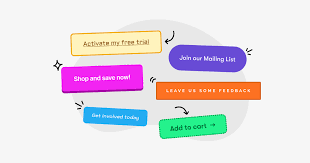
The most effective CTA examples for Reels guide viewers on what to do next, whether it’s engaging with the content, visiting a link, or following your account, turning passive watching into active participation and results.
What is a Call to Action (CTA) in Reels?
A call to action, or CTA, is simply a prompt. It tells your audience what you want them to do. Think of it as a helpful nudge. It’s the final piece that makes your Reel work harder for you.
This prompt can come in many forms. It could be spoken words in your video. It might be text overlay on the screen. Or it could be a simple suggestion in your caption. The goal is always the same: to encourage a specific action.
Why is this so important? Because people need guidance. They are scrolling quickly. They see a lot of content. A clear CTA cuts through the noise. It tells them exactly how to connect with you further.
Without a CTA, your Reel might get views. But it might not lead to followers. It might not lead to website clicks. It certainly won’t lead to sales if that’s your goal. A good CTA makes your content work for your business or brand. It turns viewers into engaged fans or customers.
My First Reel CTA Struggle
I remember when I first started making Reels. I was so focused on making the video itself look good. I loved the editing. I loved picking the right song. I thought that was enough. My Reels were getting some views, but not many comments. And my follower count barely moved.
I felt a bit lost. Why wasn’t anyone interacting? I’d spent hours on these videos! Then, I watched a Reel by someone I admired. At the end, they said, “If you liked this, hit that follow button!” And guess what? I did. It felt natural. It was simple.
That’s when it hit me. I wasn’t telling people what I wanted them to do! I was just showing them things. I wasn’t asking for anything. It felt a little embarrassing, honestly. Like I was expecting people to read my mind.
So, I decided to try it. My next Reel was about my morning coffee routine. It was pretty simple. At the end, I added text that said, “What’s your go-to morning drink? Let me know below!” I also added a spoken line, “Comment your favorite morning drink!”
The difference was amazing. I got so many comments! People shared their ideas. They asked me questions about my coffee. It felt like a real conversation was starting. It was exciting. That small change made a huge impact. It taught me the power of a clear, simple prompt.
Key Elements of a Great Reel CTA
Not all CTAs are created equal. Some just don’t work. Others get great results. What makes the difference? It’s about being clear and making it easy for people.
First, your CTA needs to be clear. Vague prompts don’t work. “Check us out” is too broad. “Visit our website” is better. But “Tap the link in bio to shop our new collection” is best. The more specific, the better.
Second, it needs to be relevant. Your CTA should match the content of your Reel. If your Reel is about styling tips, asking people to “Shop the look” makes sense. If it’s a funny skit, maybe asking them to “Tag a friend who needs this laugh” is better.
Third, timing matters. The best place for a CTA is usually at the end of your Reel. This is when viewers are most engaged with your content. They’ve seen what you have to offer. They are ready to act.
Fourth, visibility is key. Make sure your CTA is easy to see and hear. Use text overlays if you’re speaking. Make sure the text is large enough. Don’t hide it in a busy background.
Finally, simplicity is your friend. Don’t ask for too many things at once. Pick one or two clear actions. Asking people to like, comment, save, share, and visit your website all in one go can be overwhelming.
CTA Examples Based on Your Goal
What do you want people to do after watching your Reel? Your goal shapes your CTA. Let’s break down some examples based on common objectives.
1. Boosting Engagement (Likes, Comments, Shares)
This is often the first step for new creators. Getting people to interact shows Instagram your content is valuable. It helps with reach.
For Comments:
“What’s your favorite tip from this video? Tell me in the comments!”
“I’d love to hear your thoughts on this! Drop a comment below.”
“Do you agree or disagree? Let me know in the comments!”
“Share your own experience with below!”
“Which of these ideas are you going to try first? Comment below!”
For Shares:
“Tag a friend who needs to see this!”
“Send this to someone who loves .”
“Share this Reel if you found it helpful!”
“If this made you smile, share it with a friend!”
For Saves:
“Save this post for your next !”
“Don’t forget to save this Reel for later!”
“Bookmark this for when you need inspiration.”
For Likes:
“If you enjoyed this, give it a like!”
“Show some love with a like if you found this useful.”
“Hit that like button if you learned something new!”
Reel Engagement Boosters: Quick Wins
Ask a Question: Simple questions get simple answers. Example: “Coffee or tea in the morning?”
Create a Poll (in Stories, but related): While not a Reel feature, it shows engagement is key. Ask a question in your Reel that could be a poll topic.
“Tag a Friend” Prompt: People love sharing relatable content.
“Save for Later” Prompt: Great for tutorials, recipes, or tips.
2. Driving Traffic to Your Profile or Link in Bio
This is for when you want people to learn more about you or your offerings.
“Want more tips like this? Follow me for daily insights!”
“Tap the link in my bio to learn more about !”
“Check out my profile for the full guide on .”
“Visit my shop via the link in bio to get yours!”
“Ready to ? Click the link in bio to start.”
Profile Visit Prompts: Guiding Clicks
Clear Instruction: “Tap the link in bio.”
Benefit-Oriented: “Find our latest collection.”
Urgency (use wisely): “Don’t miss out! Link in bio.”
Curiosity Driver: “See what else we’re up to. Link in bio.”
3. Promoting Products or Services
This is where direct sales or lead generation comes in.
“Shop this look now! Link in bio.”
“Ready to transform your ? DM me ‘READY’ to learn more!”
“Limited spots available! Book your consultation via the link in bio.”
“Get your today! Click the link in bio to order.”
“Sign up for our free webinar – link in bio!”
4. Building a Community
This focuses on connection and deeper interaction.
“Join our community group! Link in bio.”
“What challenges are you facing with ? Share in the comments!”
“Let’s discuss! What are your go-to strategies for ?”
Crafting Your CTA Text and Voiceover
You have a few ways to deliver your CTA within a Reel. Each has its strengths.
Text Overlays
This is probably the most common method. You add text directly onto your video.
Keep it Short: People are watching fast. Long sentences get missed.
Use Contrasting Colors: Make sure your text stands out from the background.
Place it Wisely: Don’t put it over a critical part of your video. The end is usually best.
Use Emojis: A little emoji can add visual appeal and convey emotion quickly. For example, 👉 or ✨.
Voiceovers
Your spoken words can be very persuasive.
Be Enthusiastic: Your tone matters. Sound excited about what you’re asking.
Speak Clearly: Make sure your words are easy to understand.
Directly Ask: “So, if you want to learn more, head to the link in my bio!”
Call Out Specific Actions: “Hit that follow button if you found this helpful!”
Caption CTAs
Don’t forget your caption! It’s a crucial place for CTAs.
Repeat Key CTAs: You can reinforce what you said or showed in the Reel.
Add More Detail: The caption is a good place for longer instructions or links.
Use Hashtags: Relevant hashtags help people find your content.
CTA Placement Strategy
End Screen Prompt: Display text like “Follow for More” or “Link in Bio” in the last 2-3 seconds.
Mid-Reel Nudge: For longer Reels, a subtle prompt can work, like “Save this for later” when showing a useful tip.
Caption Reinforcement: Always include a CTA in your caption, even if you have one in the video itself.
Sticker Integration (if applicable): While not direct CTA stickers, using interactive stickers in Stories can encourage follow-on engagement.
Real-Life Scenarios and CTA Examples
Let’s walk through some common Reel types and see how CTAs fit in.
Scenario 1: A “How-To” or Tutorial Reel
Imagine you’re showing people how to make a simple recipe.
Content: Quick steps for making a peanut butter cookie.
Visual CTA: At the end, text flashes: “Save this recipe for later!” with a small bookmark emoji.
Voiceover CTA: “And there you have it! Delicious cookies in minutes. Save this Reel so you can make them anytime!”
Caption CTA: “Try this easy peanut butter cookie recipe! What’s your favorite cookie flavor? Let me know in the comments! Save this post for your next baking day! #easyrecipes #cookies #baking”
Scenario 2: A Behind-the-Scenes Reel
This shows the human side of your brand or life.
Content: A day in the life of a small business owner.
Visual CTA: Near the end, text: “Follow along for more small biz life!”
Voiceover CTA: “It’s a busy day, but I love it! If you enjoy seeing what goes on behind the scenes, hit that follow button.”
Caption CTA: “A peek into a typical day running . What part surprised you the most? Comment below! Follow us to see more of our journey! #smallbusiness #behindthescenes #dayinthelife”
Scenario 3: A Product Showcase Reel
Highlighting a new item or its features.
Content: Showing off a new skincare product and its benefits.
Visual CTA: A clear text overlay: “Shop our new ! Link in bio to glow up! ✨”
Voiceover CTA: “This new is a game-changer for . Ready to try it? Tap the link in my bio to shop now!”
Caption CTA: “Meet the new ! Packed with to give you that radiant glow. ✨ Shop now through the link in our bio! #skincare #newproduct #beautyhacks”
Contrast Matrix: Myth vs. Reality of Reel CTAs
Myth: Any CTA will work if the video is good.
Reality: A clear, relevant CTA is crucial. Viewers need direction.
Myth: More CTAs are better.
Reality: One or two strong CTAs are more effective than a confusing list.
Myth: CTAs should always be about sales.
Reality: CTAs can be for engagement, growth, community, or traffic too.
Myth: Text CTAs are enough.
Reality: Voiceover and caption CTAs reinforce the message and reach more people.
Common Pitfalls to Avoid with Reel CTAs
Even with the best intentions, some CTAs fall flat. Here are common mistakes to watch out for.
1. Being Too Vague
As mentioned, “Check out my profile” is weak. What should they look for? Is it your latest post? Your highlights? Your services? Be specific.
2. Asking for Too Much
Don’t overwhelm your audience. Asking for a like, comment, save, share, and a link click in one Reel is too much. Pick the most important action.
3. CTAs That Don’t Match Content
If your Reel is a funny meme, asking people to “Sign up for my newsletter” feels out of place. Ensure your CTA makes sense for the video’s topic and tone.
4. CTAs Hidden or Hard to See
If your text is too small, in a weird font, or blends into the background, people won’t read it. If your voiceover is muffled, they won’t hear it.
5. Forgetting the “Why”
Why should someone do what you’re asking? Briefly hint at the benefit. Instead of “Comment below,” try “Comment your biggest struggle with X below – I’ll share my top tip!”
Quick-Scan Table: CTA Do’s and Don’ts
| DO: | DON’T: |
| Be specific. | Be vague. |
| Match CTA to content. | Mismatch CTA and content. |
| Make it easy to see/hear. | Hide or obscure the CTA. |
| Focus on one main action. | Ask for too many things. |
| Explain the benefit (briefly). | Assume people know why. |
My Own CTA Evolution
Over time, I’ve learned to refine my CTAs. I used to think that just saying “Follow me” was enough. But I realized it’s better when there’s a reason for them to follow.
So, now I often say things like:
“If you want more easy recipe ideas like this, hit that follow button!”
“Follow for daily tips on making your home feel cozy.”
“Want to see more travel hacks? Give me a follow!”
This tells people why they should follow. It sets expectations. It attracts people who are genuinely interested in what I share. It’s about quality over just quantity.
I also learned to use the “Save” CTA more. For my gardening Reels, I’ll say, “Save this for when you’re ready to plant your spring bulbs!” People often don’t need the info right now, but they want to keep it handy. Encouraging saves is a fantastic way to get content seen later.
And for my business Reels, I’ve become much more direct about the link in bio. I used to be shy about it. But if I’ve shown a product or explained a service, it’s natural to guide people to where they can get it.
Testing and Refining Your CTAs
The best way to know what works for your audience is to test. What gets more comments? Which Reels with specific CTAs get more saves? Do Reels with “link in bio” CTAs lead to actual clicks?
You can do this by:
Varying your CTAs: Try different prompts on similar content.
Tracking your analytics: Instagram provides insights into engagement. Look at comments, saves, and shares.
Monitoring link clicks: If you use a link in bio tool, check your analytics there.
Asking your audience: Sometimes, a simple “What kind of Reels would you like to see more of?” can give you great ideas.
What works for one account might not work for another. Your audience is unique. Pay attention to what resonates with them. Don’t be afraid to experiment!
The Future of CTAs in Short-Form Video
As platforms like Instagram continue to evolve Reels, we’ll likely see more integrated ways to use CTAs. Think about interactive elements that go beyond simple text or voice.
We might see more direct shopping integrations. Perhaps prompts that lead directly to adding an item to a cart without leaving the app. Or more dynamic ways to guide viewers to different parts of your profile or website.
The core principle will remain the same, though. It’s about guiding the viewer. It’s about making it easy for them to take the next step. And it’s about ensuring your content serves a purpose, whether that’s entertainment, education, or conversion.
Frequently Asked Questions About Reel CTAs
What is the most important part of a Reel CTA?
Clarity is the most important part. Viewers need to know exactly what you want them to do. A clear and specific prompt is more effective than a vague one.
Can I use multiple CTAs in one Reel?
It’s generally best to focus on one primary CTA per Reel. If you must use more, ensure they are sequential or for very different actions and clearly separated. For example, a “Save this for later” at the tip and then a “Link in bio to shop” at the very end.
How long should a CTA text overlay be?
Keep CTA text overlays very short and to the point. Aim for 1-5 words if possible. This ensures it’s readable quickly and doesn’t distract from the video content.
When should I include a CTA in my Reel?
The best time is typically in the last 2-3 seconds of your Reel. This is when viewers are most engaged with your content and ready to take action. You can also use a secondary CTA in the caption.
What if my Reel is just for fun and I don’t want a CTA?
That’s perfectly fine! Not every Reel needs a hard-selling or direct CTA. For purely entertaining content, your CTA could simply be “Enjoy!” or “Share if you smiled!” or even nothing at all, focusing purely on the joy of sharing.
How do I know if my CTA is working?
Track your Instagram Insights. Look at metrics like comments, saves, shares, profile visits, and website clicks (if applicable). Compare the performance of Reels with different CTAs to see what resonates best with your audience.
Conclusion
Adding a clear call to action to your Instagram Reels is a simple but powerful way to get more from your content. It guides your audience, boosts engagement, and helps you reach your goals. Think about what you want viewers to do, make your prompt clear and relevant, and place it where it will be seen. With a little practice, you’ll be turning casual viewers into active participants in no time!


