
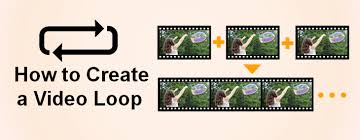
What is the Loop Video Technique?
The loop video technique is all about making a video play over and over. Think of it like a GIF, but with sound and motion. The magic happens when the end of the video perfectly matches the beginning.
This makes it seem like there’s no end at all. It’s a way to show something over and over without the viewer getting bored. It’s a clever trick that uses repetition to keep people watching.
This method is not just about making a video repeat. It’s about making that repetition smooth. The goal is for the viewer not to notice where the video starts again.
When done right, it feels like a continuous animation. It can tell a mini-story or show a process in a loop. It’s a simple idea with a big impact.
It can make ordinary content feel extraordinary.
Why Use the Loop Video Technique?
There are many reasons why this technique is so popular. First, it grabs your attention. In a world full of endless scrolling, a looping video stands out.
It catches the eye and makes people pause. It’s like a little visual hook that pulls you in. This is super important for businesses and creators.
Another big reason is its efficiency. You can show a lot in a short amount of time. For instance, you can show a product being used, a quick recipe step, or a beautiful scene.
The loop lets you show it again and again. This helps viewers understand or appreciate it more. It’s a great way to get your message across quickly.
Also, looping videos are very shareable. They are fun and engaging. People like to share things that catch their eye.
They are perfect for social media platforms like Instagram, TikTok, and Twitter. They can go viral because they are so entertaining and easy to watch. It’s a fun way to connect with an audience.
How is a Loop Video Made?
Making a loop video involves careful planning. The most crucial part is the transition. The last frame of your video must look exactly like the first frame.
Or, it must transition so smoothly that the change is invisible. This often means filming with the end in mind. You might shoot more footage than you need.
Editors use software to make these transitions perfect. They line up the beginning and end shots precisely. Sometimes, they use clever editing tricks.
They might speed up or slow down parts. They could also use visual effects to hide the join. The goal is to create a seamless, endless flow.
It takes practice and attention to detail.
For example, imagine filming a person pouring a cup of coffee. To make it loop, the last shot might be the coffee halfway down the cup. The first shot would then be the coffee halfway down the cup again.
The pouring action between these two points needs to be perfectly edited. So, the pouring seems to go on forever. Sound can also help mask the loop.
A consistent sound or music can make the edit less obvious.
Personal Experience with Looping Videos
I remember working on a project for a small coffee shop. They wanted an Instagram video. They had this beautiful, old-fashioned espresso machine.
I wanted to show it in action. I thought about making a simple loop. I filmed the steam wand frothing milk.
I made sure the milk level was the same at the start and end of the clip.
Getting that perfect loop was tricky. I filmed it from many angles. I tried different ways to cut the video.
At first, you could see a little jump. The milk would suddenly get higher or lower. It looked unnatural.
I felt a bit frustrated, honestly. I spent hours trying to get it right. Then, I realized I needed to think about the entire motion.
I decided to film the whole process of frothing. Then, I cut out the beginning and end of the actual milk bubbling. I just kept the part where the steam was actively hissing into the pitcher.
I layered it over a static shot of the pitcher. When I edited it together, the steam seemed to be coming out constantly. The milk level stayed the same.
It looked like the machine was always ready to froth. The owner loved it. It got tons of likes and comments.
People asked how we made it look so smooth. That’s when I really understood the power of a good loop.
Key Elements of a Good Loop
Visual Consistency: The start and end must match visually. This is the most important part.
Smooth Transition: The point where the loop restarts should be unnoticeable.
Engaging Content: The action or scene itself must be interesting to watch multiple times.
Appropriate Length: Loops work best when they are short, typically 5-15 seconds.
Optional Sound: Sound can help mask the loop or add to the experience.
Where Do You See Loop Videos?
Loop videos are everywhere online. You see them on social media feeds constantly. Instagram Stories and Reels often feature them.
TikTok is famous for its short, looping videos. Facebook and Twitter also use them. They are great for catching attention when people are scrolling quickly.
Websites often use them too. Many homepages have a background video that loops. This can be a scenic view, a product demonstration, or an abstract animation.
It sets a mood or quickly shows what the site is about. It makes the website feel more dynamic and modern.
Advertisements use this technique a lot. Think about short video ads that play before a YouTube video. Or, ads on social media.
A well-made loop can make an ad more memorable. It shows the product or service in a quick, engaging way. It keeps viewers interested longer than a static image might.
Example Scenarios
- A person taking a bite of food, then the bite reappearing.
- Water flowing into a glass, then the water level resetting.
- A light bulb turning on, then off, in a continuous cycle.
- A product spinning, showing its different angles.
- A dancer performing a short, repeating move.
Types of Looping Content
There are several common types of content that benefit from looping. One popular type is showing a process or action. This could be anything from making a drink to using a tool.
The loop shows the action happening repeatedly, making it clear and easy to follow.
Another type is creating a mood or atmosphere. A looping video of a crackling fireplace, gentle waves, or city lights can be very soothing. It creates a calming environment.
It’s like a digital screensaver but more engaging.
Product demonstrations are also a great fit. You can show a product in use. For example, a kitchen gadget chopping vegetables.
The loop shows the continuous action. It highlights the product’s effectiveness. It helps potential buyers see how it works in real time.
Abstract animations are another category. These are often visually striking. They use shapes, colors, and movement to create an interesting effect.
The loop adds to their hypnotic quality. They are often used for artistic purposes or as website backgrounds.
Looping Styles
Action Loops: Repeating a specific action or movement.
Atmospheric Loops: Creating a mood with continuous motion or scenes.
Product Showcase Loops: Demonstrating product features repeatedly.
Abstract Loops: Visually interesting, non-representational animations.
Challenges in Creating Perfect Loops
Creating a truly perfect loop can be surprisingly challenging. One of the biggest hurdles is maintaining visual continuity. It’s not just about the start and end frames matching.
It’s about the motion between them feeling natural and continuous. If an object moves across the screen, it needs to disappear and reappear seamlessly.
Sound can also be a problem. If your loop has sound, the audio needs to loop just as smoothly as the video. A sudden silence or a repeating sound effect that is too obvious can break the illusion.
Matching audio and video loops requires extra care. Sometimes, removing sound altogether is the best option for a clean loop.
Dealing with motion blur is another issue. When objects move quickly, they appear blurred. This blur can make it hard to match the exact position and speed of an object at the start and end of the loop.
Professional editors use techniques to manage this. They might use slower motion or carefully edit out the blurriest parts.
Camera movement can also complicate things. If the camera is panning or tilting, getting the exact same starting position and angle at the end can be very difficult. This often requires a tripod and precise camera control.
Or, advanced post-production techniques to stabilize and align the footage.
Common Pitfalls to Avoid
| Problem | Description | Solution |
|---|---|---|
| Visible Jump | The start and end don’t match perfectly. | Careful editing, use reference points. |
| Abrupt Sound Change | Audio loop is jarring. | Fade audio, use consistent sound, or remove sound. |
| Unnatural Motion | Movement looks jerky or stops suddenly. | Use slower speeds, plan motion flow. |
| Camera Drift | Camera position changes over time. | Use a tripod, stabilize footage in editing. |
The Psychology Behind Looping Videos
Why are we so drawn to looping videos? It’s partly because of how our brains process visual information. Our brains are wired to notice repeating patterns.
When something repeats, it can signal importance or familiarity. This can make us pay closer attention.
There’s also an element of anticipation. Even though we know it’s repeating, we subconsciously wait for the next cycle. This expectation keeps us engaged.
It’s like watching a magician; we know there’s a trick, but we’re curious to see how it’s done.
Looping videos can also evoke a sense of flow or hypnotism. The continuous motion can be mesmerizing. This is especially true for abstract or calming loops.
They can help us relax or enter a state of focused attention. It’s a simple visual effect with a profound psychological impact.
Furthermore, in the context of short attention spans, a loop offers a complete experience in a short time. You don’t have to wait for a story to unfold. You get a full, albeit brief, impression immediately.
This instant gratification is very appealing in our fast-paced digital world.
Psychological Triggers
- Pattern Recognition: Our brains love repeating patterns.
- Anticipation: We expect the next cycle, keeping us hooked.
- Hypnotic Effect: Continuous motion can be mesmerizing.
- Instant Gratification: A complete experience in a short burst.
- Familiarity: Repetition can create a sense of comfort.
Tips for Creating Your Own Looping Videos
If you want to create your own looping videos, start with a clear idea. What do you want to show? Is it a product, an action, or a mood?
Having a specific goal will help you plan your shots.
Plan your shot with the loop in mind. Think about how the beginning and end will connect. It’s often easier to film something that naturally repeats or has a clear start and end point that can be seamlessly joined. For example, a person turning a knob or a faucet running water.
Use a tripod. This is crucial for static shots. A tripod ensures your camera doesn’t move. This makes it much easier to match frames later.
If you need to move the camera, plan the movement carefully. You might need to track a specific point.
Keep it simple. For your first loops, choose simple subjects. Avoid complex movements or many objects. A single object in focus is easier to loop.
Focus on one clear action. This will help you learn the editing process.
Editing is key. Use video editing software. You’ll need to trim your footage precisely. Align the start and end frames.
Many programs have tools to help with this. Look for features like snapping to frame or precise time-line editing. If the loop isn’t perfect, try adjusting the timing by milliseconds.
Sometimes, a tiny tweak makes all the difference.
Consider sound carefully. If you add sound, make sure it loops smoothly too. A repeating sound effect can be very annoying. You might need to fade the sound in and out.
Or, use a continuous sound like ambient noise or music. Often, no sound is better than bad sound for a loop.
Test your loop. Play it back many times. Watch it on different devices if possible. Does it look and sound smooth?
Get feedback from others. They might spot imperfections you missed. Good loops are often the result of many small adjustments and tests.
Quick Tips Checklist
- Have a clear goal.
- Film with the loop in mind.
- Use a tripod for stability.
- Start with simple subjects.
- Edit precisely for seamlessness.
- Manage sound for smooth playback.
- Test and get feedback.
Best Practices for Looping Video on Different Platforms
The way you use looping videos can differ based on the platform. For Instagram Stories, short, attention-grabbing loops work best. They should fit the vertical format.
Think about quick product demos or fun, eye-catching animations. Keep them under 15 seconds.
On Instagram Reels and TikTok, longer loops are possible, but still, aim for impact. These platforms are great for storytelling. You can tell a mini-story with a loop.
Or, showcase a skill or transformation. Use trending sounds and effects to boost visibility. The loop should be engaging enough to make users watch it multiple times.
For website backgrounds, the loop should be subtle and non-intrusive. It should enhance the user experience, not distract from it. Often, abstract patterns, nature scenes, or slow-motion product shots work well.
Ensure the video is optimized for web use to avoid long loading times.
YouTube pre-roll ads or in-feed ads can use loops effectively for quick brand recall. You have a very short window to make an impression. A well-executed loop can stick in a viewer’s mind.
It can be a product feature or a brand message repeated visually.
Platform-Specific Tips
Instagram Stories/Reels: Vertical format, quick hooks, trending audio.
TikTok: Creative storytelling, dynamic visuals, user engagement.
Websites: Subtle, atmospheric, fast-loading, enhance user experience.
Ads: Memorable, concise message, strong call to action (implied or direct).
Looping Videos vs. GIFs
You might be wondering how looping videos are different from GIFs. Both repeat. But there are key differences.
GIFs are older technology. They often have limited color palettes. This means they can look grainy or have strange color banding.
Looping videos, on the other hand, are essentially short video files. They can support a full range of colors and higher resolutions. This makes them look much sharper and more professional.
They also can include sound, which GIFs cannot.
Another difference is file size and quality. Video formats are generally more efficient. They can achieve better quality with smaller file sizes compared to GIFs.
This is important for web performance and mobile data usage.
Think of a GIF as a basic animation. A looping video is a more advanced, higher-quality version. For most modern online content, especially on social media, looping videos are preferred.
They offer a better viewing experience. GIFs are still used, but often for simpler, smaller animations where sound isn’t needed.
Looping Videos vs. GIFs: A Quick Look
Color Depth: Videos have full color; GIFs have limited color.
Sound: Videos can have sound; GIFs do not.
Quality: Videos generally offer higher quality and resolution.
File Size: Videos are often more efficient for their quality.
Usage: Videos are preferred for modern social media and web content.
The Future of Looping Video
The loop video technique is here to stay. As online content gets more visual and interactive, looping videos will become even more important. We’ll likely see more advanced editing techniques.
AI might even help create perfect loops automatically.
Think about augmented reality (AR). Imagine looping AR effects that follow you. Or, interactive looping videos where you can tap to change the loop.
The possibilities are constantly expanding. As technology improves, so will the sophistication of these repeating clips.
We’ll also see more subtle uses. Background loops on websites will become more dynamic. They might react to user scrolling or mouse movements.
The line between a static image and a video will continue to blur. Looping video is a key part of that evolution.
Conclusion
The loop video technique is a simple yet powerful way to capture attention online. By making videos repeat seamlessly, creators can engage viewers more effectively. Whether for social media, websites, or ads, a well-executed loop is a valuable tool.
It takes practice and a keen eye for detail. But the reward is content that stands out and keeps people watching. Start experimenting, and see what endless loops you can create!
Frequently Asked Questions about Looping Videos
What is the primary goal of the loop video technique?
The main goal is to create a seamless, repeating video clip that captures and holds viewer attention. It aims to make the repetition unnoticeable, offering a continuous experience.
How do I make sure a loop video plays without a visible jump?
You need to ensure the last frame of your video visually matches the first frame exactly. Careful editing, planning your shots beforehand, and using a tripod are key to achieving this.
Can looping videos have sound?
Yes, looping videos can have sound. However, the audio must also loop smoothly to avoid breaking the immersion. Sometimes, removing sound altogether results in a cleaner loop.
What is the difference between a looping video and a GIF?
Looping videos offer higher quality, full color, and can include sound. GIFs are older, have limited color palettes, and cannot have sound. Videos are generally more efficient and produce better results for modern content.
Are looping videos good for advertising?
Yes, looping videos are excellent for advertising. Their ability to quickly grab attention and repeat a message or product feature makes them memorable and effective, especially on social media platforms.
What length is ideal for a looping video?
The ideal length often depends on the platform and content, but shorter loops (5-15 seconds) are generally most effective for capturing attention quickly. Longer loops can work for storytelling or atmospheric content.


